


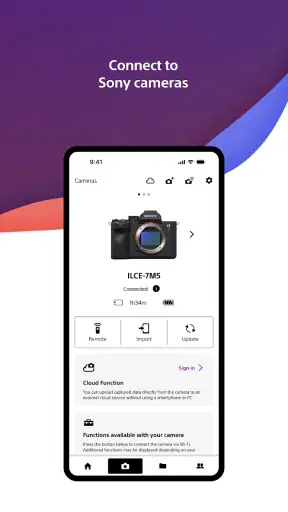
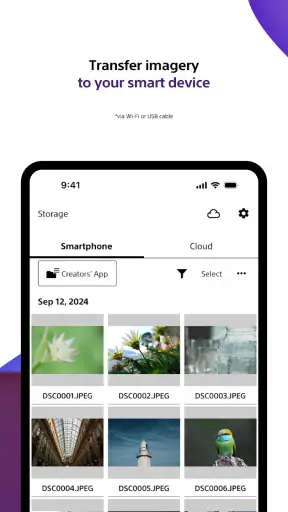
I approached Sony | Creators' App as a practical photography companion rather than as a general social or editing platform. Its central job is moving images and videos between compatible Sony camera equipment and a mobile device, and that focused purpose makes the app easier to judge than a tool that tries to do everything. If you regularly shoot with Sony hardware, the app can remove a tedious step from your routine. If you use another camera brand, its value drops quickly.
The app is free to install, is listed for everyone, and comes from Sony Corporation. It sits in the photography category, where expectations are usually high: people want dependable transfers, clear device connections, and enough control to avoid sending the wrong files or wasting mobile storage. My overall impression is that this is most useful when treated as a bridge between camera and phone, not as a replacement for a full desktop workflow or a complete photo editor.
Trust starts with a narrow, understandable purpose
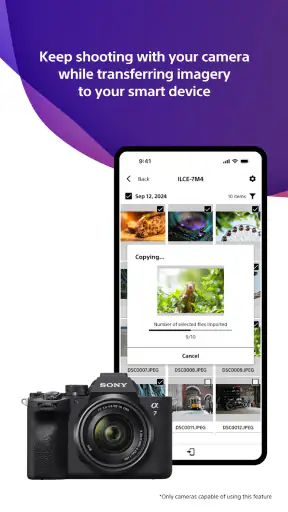
One reason I find the app easier to evaluate is that its role is fairly clear. It is built around transferring images and videos, so the important questions are practical ones: which camera is connected, what I choose to move, where the files end up, and whether I can stop the process when I change my mind. That is a healthier starting point than an app whose main value depends on an endless feed, aggressive sharing, or a large collection of unrelated services.
Its public reception is also reasonably encouraging. The app holds a 4.2 average from around nine thousand ratings, with more than a million installs. Those figures do not prove that every camera connection will be smooth, but they suggest that the basic idea is useful to a substantial number of Android users. I would still treat ratings as a starting signal rather than a guarantee, because transfer apps are especially sensitive to phone models, camera firmware, wireless conditions, and the exact files being moved.
The release history matters here as well. The app arrived on October 13, 2022, and the current version is 3.5.0. That gives me more confidence than an abandoned utility would, although version numbers alone do not tell me how well a particular phone or camera combination will behave. Before relying on it for a paid shoot or a trip with limited connectivity, I would test the complete route at home.
That test should include pairing, selecting a small group of photos, transferring a video, opening the received files in the phone’s gallery, and disconnecting cleanly. I would also repeat the process after locking the phone briefly, because wireless workflows can behave differently when the operating system limits background activity. This is not a criticism unique to Sony; it is simply the sensible way to validate any camera-transfer tool before making it part of an important routine.
What I would check before trusting a transfer
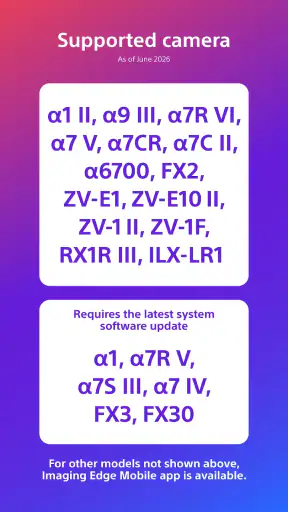
The first check is compatibility. The app is designed around Sony’s creator-oriented camera ecosystem, so owning a Sony camera does not automatically mean every model or feature will behave identically. I would confirm that the camera is supported, then keep the camera and phone close together during the initial connection. A stable setup is more valuable than trying to solve pairing problems in a crowded public place.
The second check is file selection. A camera may contain a mixture of still images, long clips, duplicates, and files intended for later editing. Sending everything at once can make the process slower and harder to audit. I prefer a small, deliberate batch first. After the files appear on the phone, I can confirm that the expected resolution, orientation, and video playback are intact before moving on to a larger selection.
The third check is storage. A few photos may be easy to accommodate, while high-quality video can consume phone space quickly. I would look at available storage before starting a large transfer and decide where the files should be organized afterward. The app’s job is moving the media; it should not be mistaken for a complete backup strategy. I would keep the camera card and make a second copy elsewhere before deleting anything from the original source.
A less obvious benefit of this cautious approach is that it separates connection problems from file-management problems. If a small transfer works but a large one fails, the issue may be duration, storage, or the phone’s handling of a long wireless session rather than pairing itself. That distinction saves time and prevents the common mistake of repeatedly resetting a connection that was never the real problem.
Useful in the moments when a phone is the next destination
The clearest everyday scenario is a short event where I want to publish or send a few photos before returning to a computer. I could finish shooting, select only the strongest images, move them to the phone, and share them through the apps I already use. That is much more convenient than waiting until I get home simply to deliver a handful of pictures.
It is also helpful for a photographer who wants to review images on a larger phone screen while standing away from a desk. A client, friend, or collaborator can look at selected material without handling the camera or waiting for a full card import. I would still keep the conversation focused on review rather than treating the phone copy as the master archive.
Travel is another good fit, especially when the phone is the device I use for quick communication. Moving a limited set of images can let me send a visual update without carrying a laptop. The trade-off is that wireless transfer depends on battery, connection stability, and available storage. For a long trip, I would bring a separate backup plan rather than assuming the phone alone is enough.
The app is less attractive for a high-volume studio workflow. If I need to ingest an entire card, rename files systematically, apply detailed metadata, create several backups, or begin serious color work, a computer-based reader and cataloging tool is usually better. A direct cable or card-reader workflow may also be preferable when speed and predictable file handling matter more than convenience.
Controls that deserve attention during setup
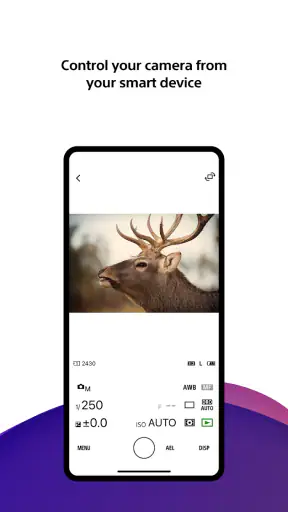
When I use a camera connection app, I pay attention to every visible choice during pairing and transfer. I want to know which camera is selected, which files are marked, and whether the destination on the phone is clear. A good habit is to pause before confirming a large batch and review the selection rather than tapping through the process automatically.
I would also inspect the app’s permission requests on my phone and grant only what is necessary for the task and operating system to function. Permission screens can vary between Android versions, so I would read the wording shown on my own device instead of relying on assumptions. If a permission is requested at a moment that does not make sense, I would stop and investigate through the phone’s settings or Sony’s official support material.
Account controls deserve the same care. If the app offers sign-in or connected-device choices during use, I would use an account only when it adds something I actually need, keep recovery details current, and review which camera or phone is connected. I would not share an account casually, particularly when several people use the same camera equipment. Keeping access personal makes it easier to understand who can initiate a connection and when.
There is a practical privacy advantage to being selective with transfers. Instead of moving an entire shoot to a phone that may be shared with other apps and services, I can move only the images needed for a particular message or post. That reduces clutter and limits the number of copies created. It also makes later cleanup easier because I know why those files were transferred.
The safest workflow is deliberate selection, visible confirmation, and a separate backup. That principle is more important than any single convenience feature. A camera-transfer app can make media mobile, but mobility also creates more opportunities for accidental sharing, duplicate copies, or premature deletion.
Where the experience can become frustrating
The main friction is inherent in wireless camera workflows. Pairing can take patience, and a connection that works in one room may be less comfortable in a busy environment with many nearby devices. I would avoid judging the app after one failed attempt. Restarting the camera and phone, checking that the intended connection is active, and trying a small batch often gives a clearer picture of whether the issue is temporary.
Long videos are another realistic pressure point. Even when a transfer succeeds, the process can take time and occupy both devices. A phone may become warm, storage may fill faster than expected, and the user may be tempted to leave the process unattended. For important footage, I would transfer short test clips first and avoid deleting originals until the phone copy has been checked.
There is also a difference between receiving a file and preparing it for publication. The app can help put media on the phone, but I may still need a separate editor for cropping, color adjustments, captions, or compression. That is not a flaw if I want a simple transfer tool, but it does mean I should not expect one installation to replace my entire mobile photography setup.
Users who shoot with multiple brands should think carefully before making this their default gallery bridge. A general-purpose file-transfer method may be more convenient if the camera collection is mixed. Similarly, someone who rarely moves photos away from the camera may gain little from installing a dedicated companion app. The strongest case is a repeated Sony-to-phone workflow, not occasional curiosity.
How it compares with familiar alternatives
Compared with using a computer and a card reader, the app is more convenient for a few immediate files and less suitable for large, carefully organized imports. A computer gives me better visibility over folders, backups, naming, and editing. The app wins when I am away from the desk and need selected content on the phone now.
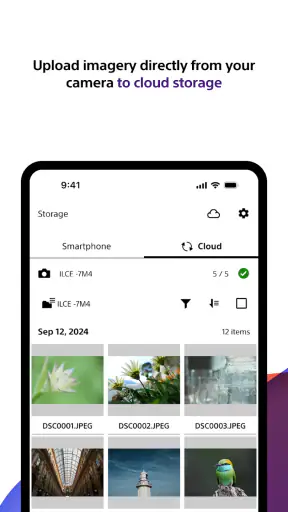
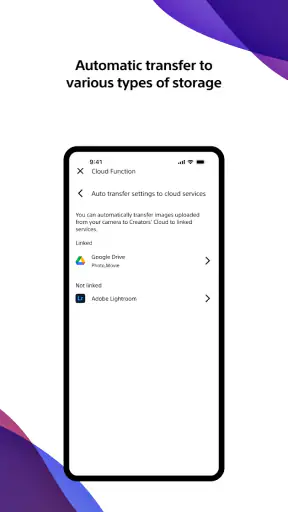
Compared with a generic cloud photo service, it offers a more direct camera-to-device path. Cloud services can be excellent for synchronization across devices, but they may create extra steps, consume upload bandwidth, or encourage automatic copying of everything. A selective transfer workflow gives me more control over what reaches the phone, while cloud storage remains useful later for backup and access across devices.
Compared with a camera maker’s built-in wireless sharing approach, the advantage here is having a Sony-specific companion rather than relying on a collection of unrelated utilities. The disadvantage is the same specialization: it is not the best universal answer for a mixed camera bag. I would choose based on the equipment I actually use, not on the app category alone.
Compared with sending files through messaging apps, a dedicated transfer route is preferable for preserving a clean original copy before social platforms compress or resize it. Messaging is fine for a quick preview, but I would not use it as the first destination for important photographs or video. Moving the file to the phone first lets me decide how and where to share it.
Costs, updates, and everyday expectations
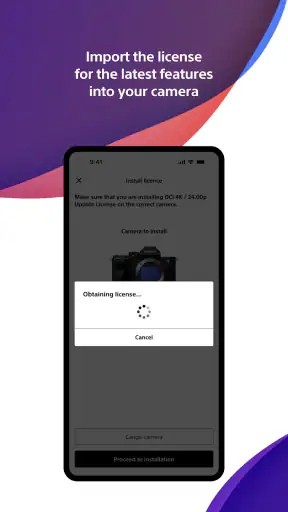
The app is free, which makes testing it relatively easy for owners of compatible Sony equipment. It also includes in-app purchases ranging from $2.99 to $20.00 per item. Because of that, I would review any purchase screen carefully and confirm what a paid item changes before approving it. The free installation is not the same thing as assuming every possible function or service is included without charge.
I would also keep expectations realistic about support. A current version can improve reliability, but an update cannot remove every limitation created by a phone’s storage, battery policy, wireless environment, or camera configuration. After updating, I would repeat a small transfer and check that my preferred workflow still behaves as expected before using the app for a time-sensitive job.
For families or shared equipment, the everyone age rating makes the app broadly approachable, but that does not remove the need for sensible account and file habits. I would teach less experienced users to select files carefully, avoid deleting originals immediately, and ask before transferring private images. Those simple rules matter more than technical confidence.
My cautious recommendation
I would recommend Sony | Creators' App to a Sony camera owner who regularly needs selected photos or videos on an Android phone. Its focused role is useful, the developer is familiar, and the app has enough adoption to be worth testing. The best results come from a controlled routine: verify compatibility, grant only understandable permissions, transfer a small batch, check the received files, and preserve the original media until another backup exists.
I would skip it if I need a universal tool for cameras from several brands, a full photo catalog, advanced editing, or a dependable high-volume ingest system. In those cases, a computer workflow, card reader, cloud service, or a broader file-management setup may suit me better. I would also avoid making it the only copy of irreplaceable work simply because the transfer feels convenient.
In the end, this is a specialized photography app with a sensible place in a Sony-centered workflow. It does not need to be an all-in-one creative suite to be useful. For me, its value comes from reducing the distance between taking a picture and having a carefully chosen copy ready on the phone, while still leaving the important decisions—what moves, who can access it, and where the backup lives—in my hands.


